
 by
by 


Customer service can make or break your business, especially for small boutiques.
With 38% of customers saying they’d leave a retailer after just one bad service experience, every interaction carries weight — and for a shop with a tight customer base, losing even a few of those people is something you feel immediately.
However, as much as 40% of how consumers perceive a brand’s value comes from non-price factors like customer service, ease of checkout, and employee attitudes.
Independent retailers may not be able to out-discount a national chain, but they can absolutely out-service one.
In this blog, we’ll cover five customer service tips for boutique retailers — including how to use point of sale (POS) data to personalize interactions with shoppers, why product knowledge beats a friendly greeting, and how to make your online and in-store experience feel like the same shop.
5 Customer Service Tips for Boutique Retailers in 2026
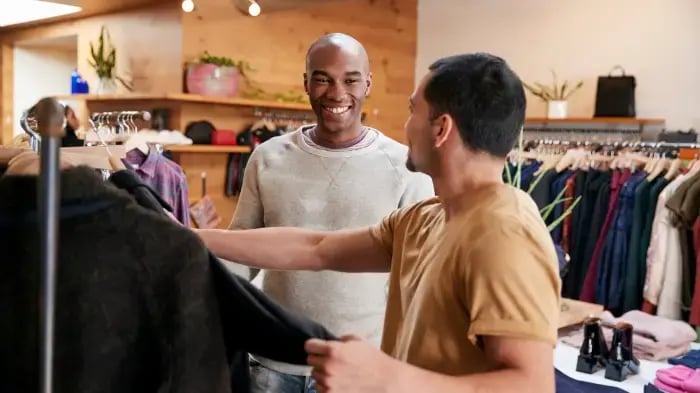
(Image source: The People in Retail Awards)
For a long time, good customer service meant a warm greeting, a clean store, and a hassle-free return policy. But in 2026, shoppers are walking in with more expectations.
They’ve likely already browsed your store’s website, checked your Google reviews, or compared prices on their phone in the parking lot.
That’s a higher standard, but it’s also one that independent retailers are better positioned to meet than any big-box store. You have smaller teams, closer customer relationships, and the ability to quickly make changes when something doesn’t work.
The five customer service tips below focus on the areas where that advantage is most evident.
1. Personalize Every Interaction With POS Data
A friendly greeting and a “Is this your first time here?” still matter — but for truly good customer service, your team needs to go a step further.
Your POS already holds a wealth of information about your customers, from purchase history to product preferences. When your staff actually puts that data to use, each conversation becomes much more meaningful.
In fact, Hyken’s 2024 State of Customer Service and CX Study found that 70% of consumers say it matters to them when employees already know their purchase history and buying patterns during interactions.
Here’s how you can put this tip into practice:
- Pull up purchase history before making a recommendation so returning customers get tailored suggestions.
- Store notes on customer profiles with sizes, favorite brands, and special requests that any team member can reference.
- Send targeted emails when you restock a category a customer has bought from before — a quick “We just got new arrivals you might like” goes a long way.
- Set up loyalty-based pricing for repeat customers, like a standing discount for regulars or wholesale pricing for local professionals who buy from you frequently.
- Use purchase patterns to time your outreach — if a customer buys every six to eight weeks, reach out around that window instead of blasting your whole list on the same schedule.
The easiest way to start building profiles is at checkout. Train your staff members to ask for customers’ email addresses by framing what they’ll gain, like restock notifications or limited-time deals. Most customers are happy to share their info when they understand the benefits.
From there, make this process a habit. After every transaction, take 30 seconds to log what that customer bought, their preferences, and any questions asked during their visit.
A POS with built-in customer notes and profile fields makes this much easier. Staff can add details right at the register without switching between systems or keeping a separate spreadsheet.
Remember: These profiles don’t have to be complete day one — it takes time to build. After a few visits, your team will gain enough context to make that customer’s experience feel meaningfully different from shopping at a chain.
Related Read: 6 Retail Marketing Strategies for Boutique Stores
2. Train Staff on Product Knowledge
A friendly attitude gets customers in the door, but product knowledge is what closes the sale.
According to a TimeTrade report, 63% of consumers say that if the same item is available at four different retailers, they’ll go to the most knowledgeable one — and since customers often shop at boutique or specialty retailers for niche items, that expertise is your edge.
The problem is, most product training happens once during onboarding and then drops off. New inventory comes in, seasonal stock rotates, and your team is expected to keep up on their own.
Thankfully, an industry-specific POS system can help fill those gaps.
Here’s how you can put this tip into practice:
- Look up product details and stock levels from a tablet or phone on the floor instead of leaving the customer to check at the register.
- Store talking points and details in your product description fields for newer team members to reference.
- Turn on upsell prompts at checkout that suggest related products or accessories based on what’s already in the cart.
- Let trusted staff update product notes directly from the register as they learn new details from customers or vendors, so all information stays current.
The next time inventory arrives at your store, set aside 15 minutes for your team to handle the products and talk through who they’re right for.
Pair that hands-on time with the product details already in your POS, and your staff should feel much more confident to answer customer questions out on the floor.
Related Read: 5 Boutique POS Features You Need To Run Your Store

3. Sync Online and In-Store Shopping Experiences
Few things frustrate a customer faster than feeling like your website and your store aren’t on the same page.
If a customer sees an item online marked as “in stock,” only to drive all the way to your store and see it’s actually sold out, that’s a lost sale and a hit to their trust.
The same goes for a loyal customer who’s racked up in-store points but can’t redeem them when they shop online. Both of these scenarios cost you sales.
Making your online and in-store experience feel connected is part of good customer service — and it pays off. Endear’s clienteling research found that omnichannel shoppers are worth up to 3.5 times more than single-channel shoppers, which means the customers shopping across both your channels are likely your most valuable ones.
Here’s how you can put this tip into practice:
- Sync inventory between your physical store and website in real time so a customer never makes the trip for something that’s already sold out.
- Let customers take advantage of buy online, pickup in store (BOPIS) so they can shop on their own time and still get the in-person experience when they’re ready.
- Keep customer profiles, loyalty points, and store credit accessible across every location and online so your team can recognize and reward all customers.
- Manage all orders from a single dashboard to keep information consolidated, whether a customer purchased online or at the register.
- Match pricing and promotions across channels so customers aren’t caught off guard by a different price than what they saw on your site.
You don’t need to push every customer to shop solely online or solely in-store. You just need the shopping experience to feel consistent across all channels.
Bonus Resource: How Much Does a Website Increase Sales? 7 Key Stats + Tips
4. Let Sales Data Guide Decision-Making
Most boutique owners have a gut feeling for what’s working and what’s not, but gut feelings can often miss larger patterns.
Your POS is already collecting data on every transaction and product sitting on the shelf too long — so use that data to guide smarter decision-making for your business.
The difference between a good customer experience and a great one often comes down to whether you’re using that data to make changes before customers have to tell you something’s wrong.
Here’s how you can put this tip into practice:
- Set up real-time dashboard notifications so you can spot service-impacting issues (e.g., bestsellers running low) before customers notice.
- Track daily on-hand inventory over time to identify which products are bestsellers and which barely move, then adjust repurchasing accordingly.
- Break down sales by category, brand, or employee to see where your team is strongest and where they might need additional product training or support.
Even a quick five-minute check-in on your dashboard at the start of each day can help you catch problems early — and fix them before they become the kind of experience that drives a customer elsewhere.
5. Make Loyalty Rewards Worth Redeeming
A lot of boutique retailers set up a basic points system and leave it at that — but if the rewards aren’t compelling or easy to redeem, customers may forget about the program entirely.
The best loyalty programs give customers a reason to pay attention. That could mean a tiered membership where top spenders get early access to new products or exclusive discounts, or mix-and-match promotions like “buy three, get one free” that encourage a larger purchase while still feeling like a deal.
Here's how you can put this tip into practice:
- Automatically reward customers for every dollar spent with points they can redeem both in-store and online.
- Create tiered membership levels that give your best customers exclusive perks, like early access to new collections or members-only discounts.
- Run mix-and-match or bundle promotions that increase basket size while giving customers a reason to try new products.
- Schedule promotions in advance so they launch across all channels at the same time, without your team scrambling on the day of.
When getting customers to sign up at checkout, a lot of it comes down to framing. “Want to earn points on this purchase? You’re already halfway to a reward” lands much better than a generic “Would you like to join our loyalty program?”
The harder part is keeping them engaged. Track how many customers are actively redeeming rewards versus just letting points pile up.
If redemption rates are low, your rewards might not be compelling enough — try lowering the threshold or testing a different perk structure until you find what resonates with your customers.
Put These Customer Service Tips To Work With Rain POS
Good customer service means paying attention to your customers, your data, and the small details that make someone feel like they picked the right store.
The five tips above all share a common thread — using tools and information to serve your customers better. And for independent retailers, that starts with a POS built specifically for your industry.
Rain POS brings customer profiles, inventory management, loyalty programs, reporting, and e-commerce into one connected system. It’s built for boutiques, outdoor shops, craft stores, and other specialty retailers who need their POS to do more for them and their customers.
Check out Rain POS’s pricing to find the plan that fits your store — and start giving your customers the service they deserve.


.webp?width=520&height=294&name=RAIN%2063026%20How%20To%20Personalize%20Marketing%20for%20Craft%20Store%20Customers%20(1).webp)
![How To Create a Boutique Customer Loyalty Program [+ Why You Should]](https://www.rainpos.com/hs-fs/hubfs/shutterstock_2498045751%20(1).webp?width=520&height=294&name=shutterstock_2498045751%20(1).webp)